
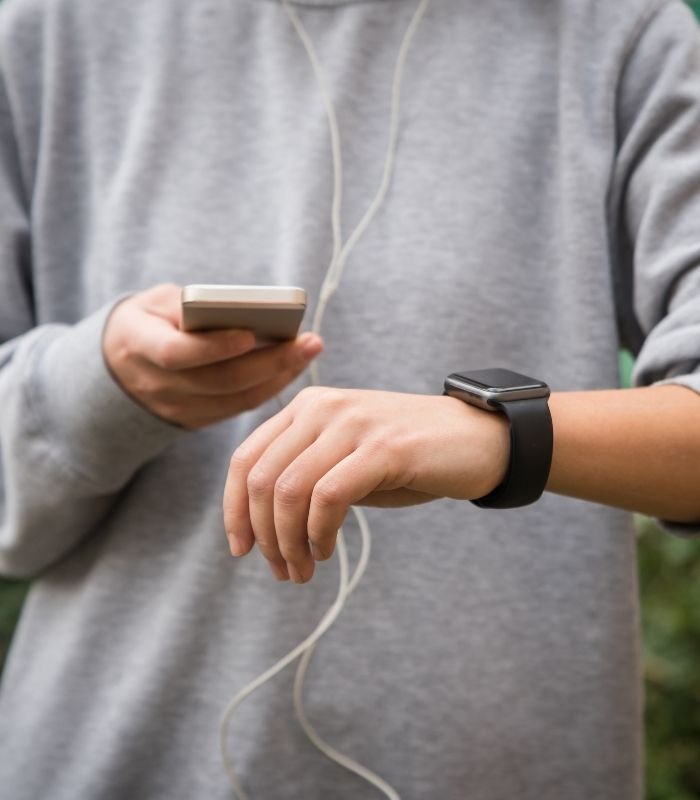
If you have an Apple watch (must be version 3 and above that has watchOS8), you can connect it with iPhone 6s or higher, and the OS has to be iOS 15 or above. The watch setup app on your Apple Watch and iPhone connect to each other and help pair the devices. In this article, we will tell you how to pair smartwatch to iPhone.
Connecting and Pairing:
- Get the watch around your wrist. Choose a band size that correctly fits your wrist. It should be comfortable. You can also change the band to fit your wrist.
- Now push down your Apple Watch side button. Keep it down until you see the Apple Company logo.
- Turn on iPhone Bluetooth. Bring the iPhone near the watch so that the pairing process can start.
- When the pairing notification appears on your iPhone’s monitor, tap to continue.
- You can also tap on the Apple Watch application on your cell phone. Then you need to wait for a few minutes for your watch to appear on the iPhone’s pairable watch list.
- Now tap on the watch to pair it with the phone.
- Now click on set up for myself.
- A notification will tell you to align your phone with the watch and position it so you can see it with your own eyes via the viewfinder.
- If you have more questions about the watch then during sync, click on get to know your watch. You can get a lot of news and information from there.
- When your Apple watch has done syncing, you can finish up by tapping on the Apple Watch App. This will give a lot of information.
Troubleshooting:
- First, if you think that your watch is not pairing, then find out if it is already paired or not. If you have already paired the watch, then you will have to erase all the watches from the iPhone. Then reset all of the settings.
- Usually, the camera on the iPhone completes the pairing process. If the camera is not working, then find the manually pairing command button. Tap the button. Now, read and follow the instructions showing up on the screen.
- In case this does not work, read the Apple support.
Pairing more Apple Watches:
If you were able to successfully pair the first Apple watch to your iPhone, you will be able to pair up the second or third Apple watch the same way. But if you have not paired the first one yourself, you can follow the guide given above. It is simple. If you have problem pairing, then follow the troubleshooting guide given above.
Conclusion:
If you have read through how to pair smartwatch to iPhone, then we hope this little article helped you. It is a fairly simple process and will not take more than a few minutes. So, have fun!


![How to Change Time on Fossil Smart Watch [A GUIDE]](https://www.techdenbd.com/backend/img/blog/how-to-change-time-on-fossil-smartwatch-2022-06-29-62bbdf51aaea7.jpg)