
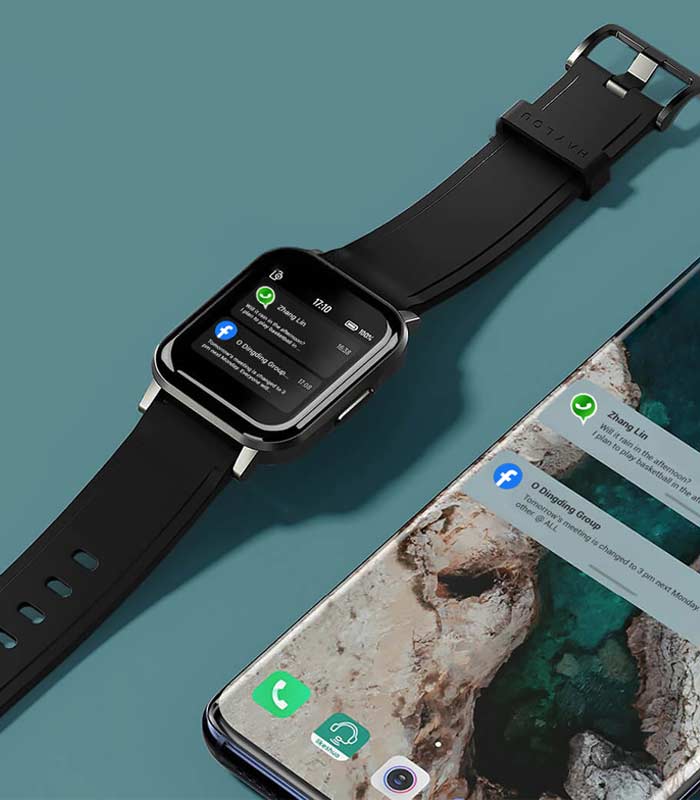
Usually, smartwatches are meant to be paired with your smartphones. This way they can perform to their fullest. In this article, we will try to answer the question ‘how to install WhatsApp in smartwatch’.
What it actually means:
‘Install WhatsApp' can be interpreted in two different ways. One is that you want to install Whatsapp on your smartwatch, or you want to get Whatsapp notifications on your smartwatch. At present, there is no version of Whatsapp that can be installed on smartwatches. Therefore, we would give you a general answer to the question ‘how to install Whatsapp in smartwatch’.
As we understand that there is no version of Whatsapp that you can install on your smartwatch, the only thing right now possible is to get the notifications of all of your apps to your smartwatch’s notification section.
- First, go into the settings and find wifi and Bluetooth connection and pair the companion app for your smartphone.
- Now, find the sync option or something that resembles sync from the settings.
- Tap sync.
- This will sync with your smartphone app. Upload all the data from the smartwatch and then download all the notifications from the smartphone.
- Find the notification section of your smartwatch.
- If you have any new notifications from Whatsapp on your smartphone, it will appear in the notification section of smartwatch as well.
Conclusion:
We hope that you have got the answer to the question ‘how to install WhatsApp in smartwatch’. If you invest a little bit of your time, you will be able to follow the steps shown here.


![How to Change Time on Fossil Smart Watch [A GUIDE]](https://www.techdenbd.com/backend/img/blog/how-to-change-time-on-fossil-smartwatch-2022-06-29-62bbdf51aaea7.jpg)